
Configure events and rooms
Volo organizes a production as an Event containing one or more Rooms. An Administrator creates those records; Administrators and assigned Event Producers can edit their details.
Event settings
Section titled “Event settings”Open an event from the Events page. The event page contains its branding and description, its room list, event transcripts, and the event dictionary.
Editable event fields are:
- Name
- Description
- Event logo
An event name is limited to 60 characters and its description to 300 characters. Logo uploads accept JPEG, PNG, and HEIC images up to 24 MB.
Administrators also see the event’s Producer list and can invite or remove Producers.
Room status
Section titled “Room status”Each room card shows Live or Offline status and its GUID. Open the room to configure it or operate its stream.
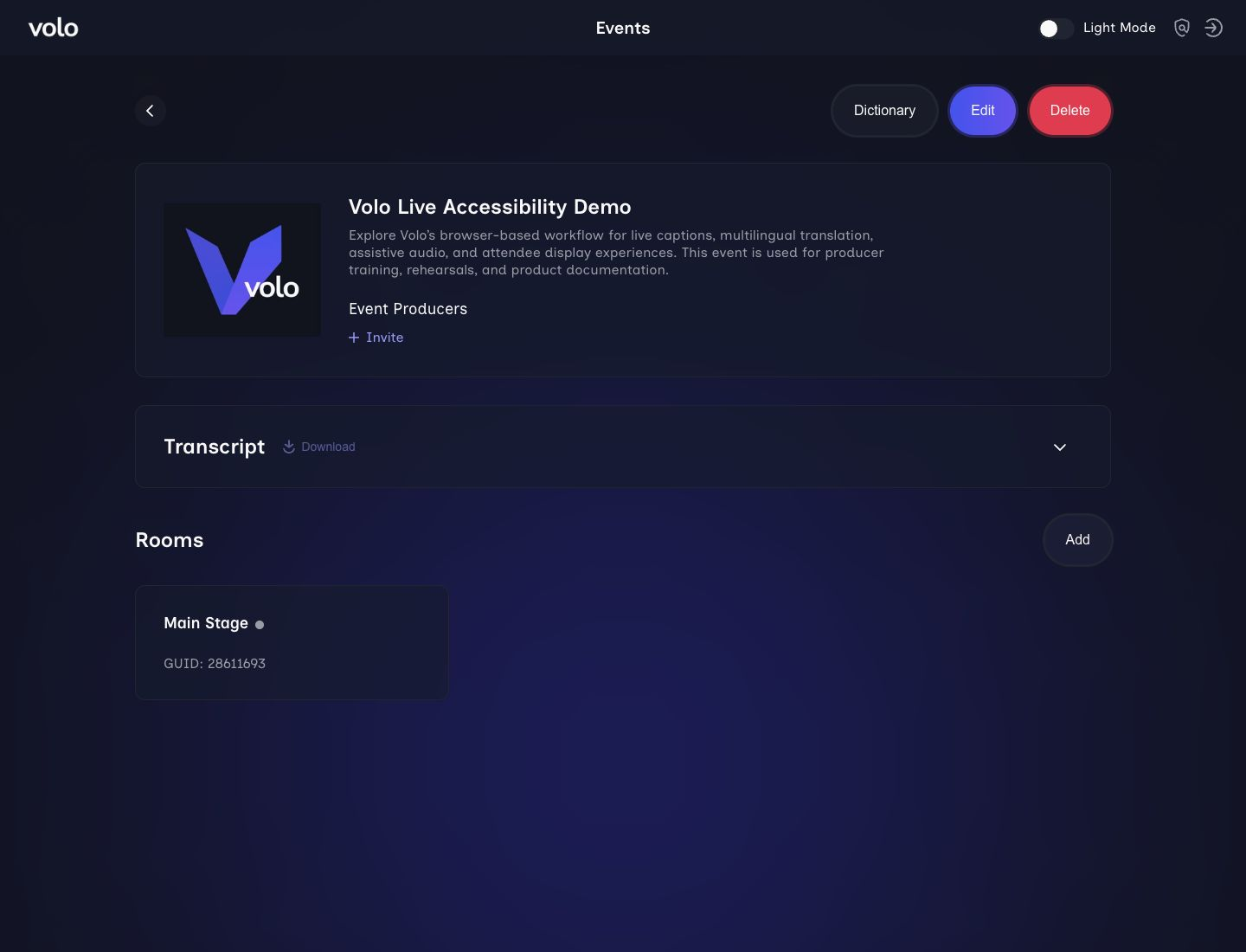
The event page keeps its branding, description, Producer access, transcripts, and room status together.
Room information
Section titled “Room information”Select the edit control on a room to open three sections:
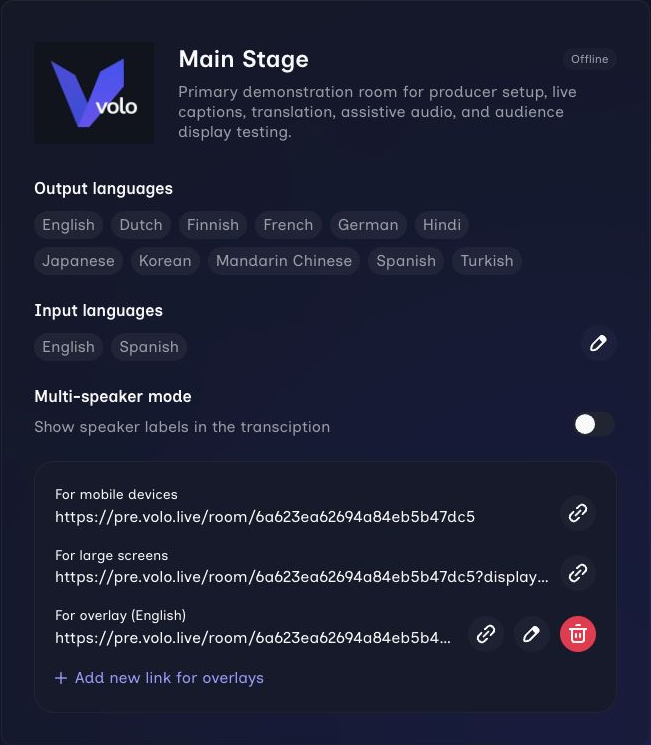
Review the room identity, status, language choices, and multi-speaker setting before rehearsal.
- Room name identifies the room in the Producer interface and attendee experience.
- Description provides additional context for Producers.
Sponsor
Section titled “Sponsor”- Sponsor name appears in the attendee experience.
- Sponsor logo appears on the join screen and above live content.
The event logo is also embedded in the downloadable room QR code.
Languages
Section titled “Languages”- Input languages are the languages expected from the presenters. A room supports up to two.
- Audience languages are the translated output choices offered to attendees. A room supports up to ten translated targets.
The primary input language is automatically available to attendees so they can follow the original transcription and audio. Changing languages is disabled while a stream is starting or live.
See Supported languages for the current catalog.
Multi-speaker mode
Section titled “Multi-speaker mode”When the selected input language supports speaker separation, enable Multi-speaker mode to show speaker labels in the transcription. Volo disables the option for language/provider combinations that do not support it.
Verify speaker labeling during rehearsal. Clear, distinct voices and a clean audio feed produce the most useful result.
Next steps
Section titled “Next steps”- Add event-specific terms in Dictionaries and transcripts.
- Prepare the correct audience and display links.
- Follow the live-stream checklist.